

Writing Custom Renderers#
When the built-in renderers don’t fit your data, you can subclass Renderer to create your own. A custom renderer needs three things:
``get_shader_code()`` — return a WGSL shader string
``get_bounding_box()`` — return the spatial extent for camera auto-fit
``n_vertices`` — set the number of vertices in the draw call
Minimal custom renderer#
The simplest renderer: a hardcoded color triangle. The shader uses #import camera to get the cameraMapPoint function, which transforms world-space positions into clip space.
[1]:
from webgpu.renderer import Renderer
from webgpu.jupyter import Draw

shader_code = """
#import camera

struct FragmentInput {
    @builtin(position) p: vec4<f32>,
    @location(0) color: vec4<f32>,
};

@vertex
fn vertex_main(@builtin(vertex_index) vi: u32) -> FragmentInput {
    var pos = array<vec3f, 3>(
        vec3f( 0.0,  0.5, 0.0),
        vec3f(-0.5, -0.5, 0.0),
        vec3f( 0.5, -0.5, 0.0)
    );
    var col = array<vec4f, 3>(
        vec4f(1.0, 0.2, 0.2, 1.0),
        vec4f(0.2, 1.0, 0.2, 1.0),
        vec4f(0.2, 0.2, 1.0, 1.0)
    );
    return FragmentInput(cameraMapPoint(pos[vi]), col[vi]);
}

@fragment
fn fragment_main(input: FragmentInput) -> @location(0) vec4f {
    return input.color;
}
"""

class ColorTriangle(Renderer):
    def __init__(self):
        super().__init__()
        self.n_vertices = 3

    def get_bounding_box(self):
        return ((-0.5, -0.5, 0), (0.5, 0.5, 0))

    def get_shader_code(self):
        return shader_code

Draw(ColorTriangle())
warning: headless host, selecting by preference only

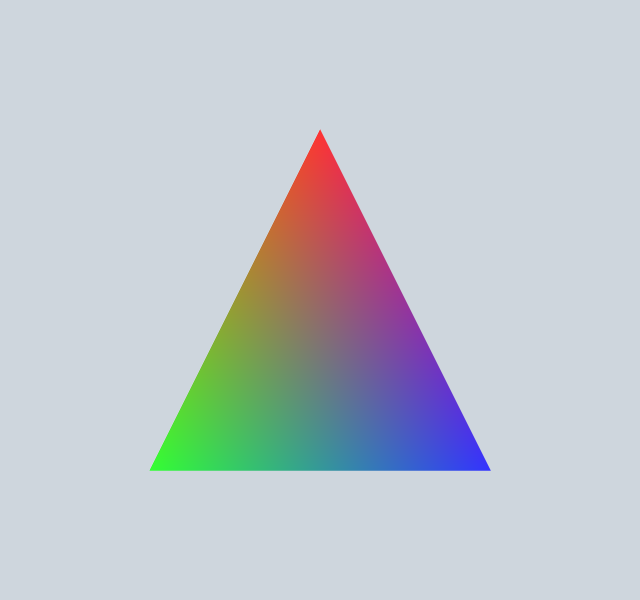
[1]:
Data via buffer bindings#
For data-driven renderers, pass GPU buffers using BufferBinding. Use buffer_from_array to upload NumPy arrays to the GPU, then declare matching var<storage> bindings in your shader with @group(0) @binding(N). Binding numbers must be >= 100 (below 100 is reserved for the framework).
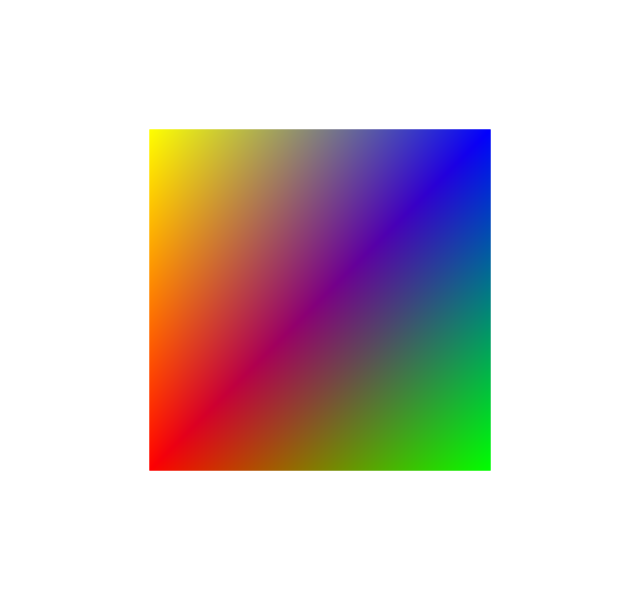
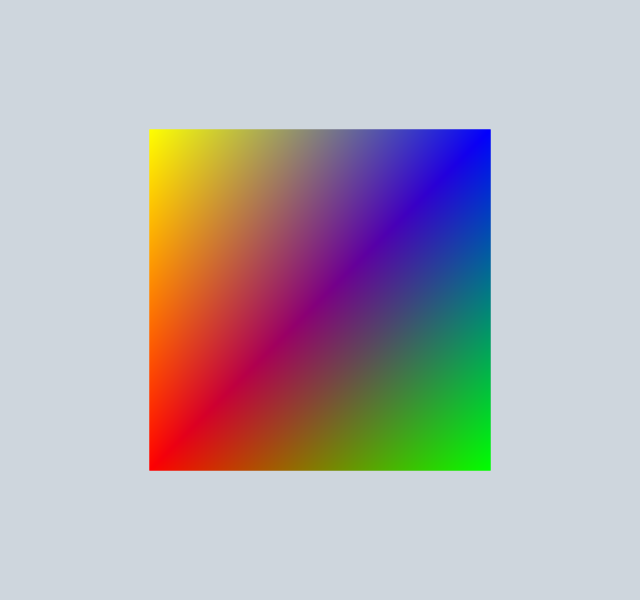
This example renders a colored quad (two triangles, 6 vertices) from storage buffers:
[2]:
import numpy as np
from webgpu.renderer import Renderer
from webgpu.utils import BufferBinding, buffer_from_array
from webgpu.jupyter import Draw

shader = """
#import camera

@group(0) @binding(101) var<storage> vertices: array<f32>;
@group(0) @binding(102) var<storage> colors: array<f32>;

struct FragmentInput {
    @builtin(position) p: vec4<f32>,
    @location(0) color: vec4<f32>,
};

@vertex
fn vertex_main(@builtin(vertex_index) vi: u32) -> FragmentInput {
    let pos = vec3f(vertices[3u*vi], vertices[3u*vi+1u], vertices[3u*vi+2u]);
    let col = vec4f(colors[4u*vi], colors[4u*vi+1u], colors[4u*vi+2u], colors[4u*vi+3u]);
    return FragmentInput(cameraMapPoint(pos), col);
}

@fragment
fn fragment_main(input: FragmentInput) -> @location(0) vec4f {
    return input.color;
}
"""

class QuadRenderer(Renderer):
    def __init__(self):
        super().__init__()
        self.n_vertices = 6

    def update(self, options):
        self.verts = buffer_from_array(np.array([
            -0.5, -0.5, 0,   0.5, -0.5, 0,   0.5, 0.5, 0,
            -0.5, -0.5, 0,   0.5,  0.5, 0,  -0.5, 0.5, 0,
        ], dtype=np.float32))
        self.cols = buffer_from_array(np.array([
            1,0,0,1,  0,1,0,1,  0,0,1,1,
            1,0,0,1,  0,0,1,1,  1,1,0,1,
        ], dtype=np.float32))

    def get_bounding_box(self):
        return ((-0.5, -0.5, 0), (0.5, 0.5, 0))

    def get_shader_code(self):
        return shader

    def get_bindings(self):
        return [BufferBinding(101, self.verts), BufferBinding(102, self.cols)]

Draw(QuadRenderer())
[2]:
Key methods reference#
Method / Attribute |
Description |
|---|---|
|
Return a WGSL source string. Use |
|
Return a list of |
|
Return |
|
Called when data changes. Create or update GPU buffers here. |
|
Number of vertices per draw call. |
|
Number of instances per draw call. |
|
Mark the renderer for re-upload on the next frame. |
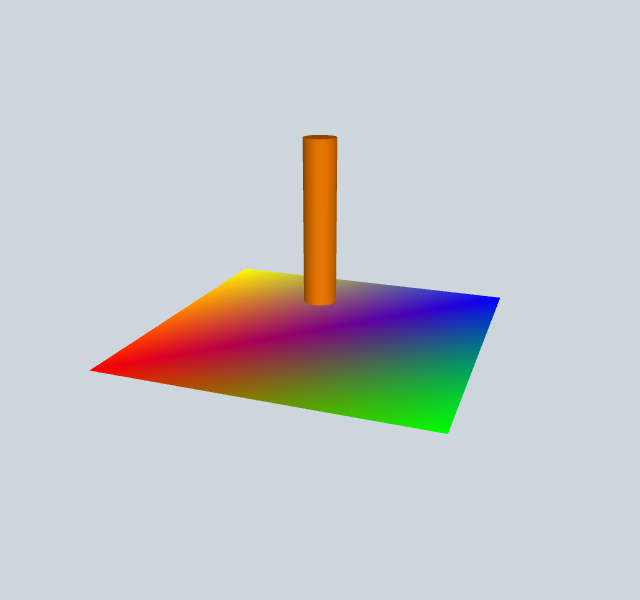
Combining with built-in renderers#
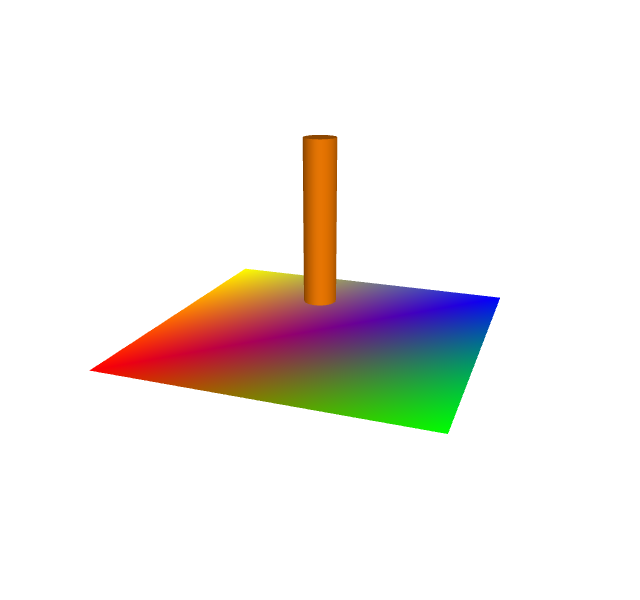
Custom renderers can be used alongside built-in renderers in the same scene. Just pass a list of renderers to Draw:
[3]:
from webgpu.shapes import generate_cylinder, ShapeRenderer

quad = QuadRenderer()
cylinder = ShapeRenderer(
    generate_cylinder(n=16, radius=0.05, height=0.5),
    positions=[[0, 0, 0.1]],
    directions=[[0, 0, 1]],
    colors=[[1, 0.5, 0, 1]],
)
Draw([quad, cylinder])
[3]: