Built-in Renderers#
The webgpu package ships several renderers for common scientific visualization tasks. They handle shader code, buffer layouts, and instancing internally — you just provide data.
ShapeRenderer — instanced geometry#
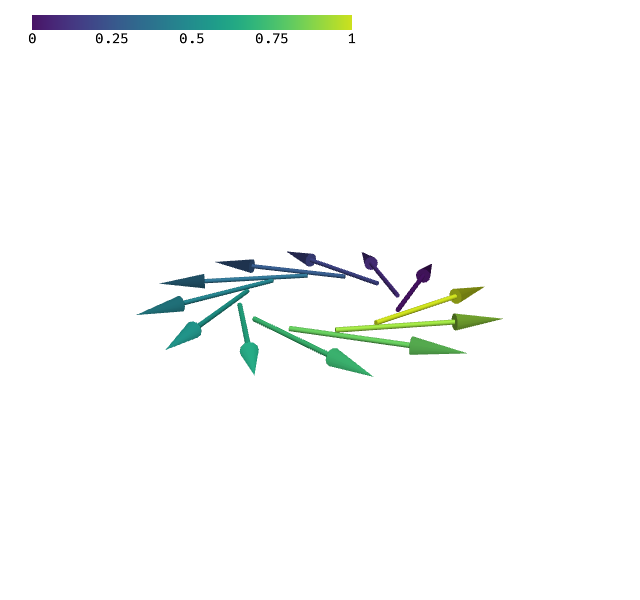
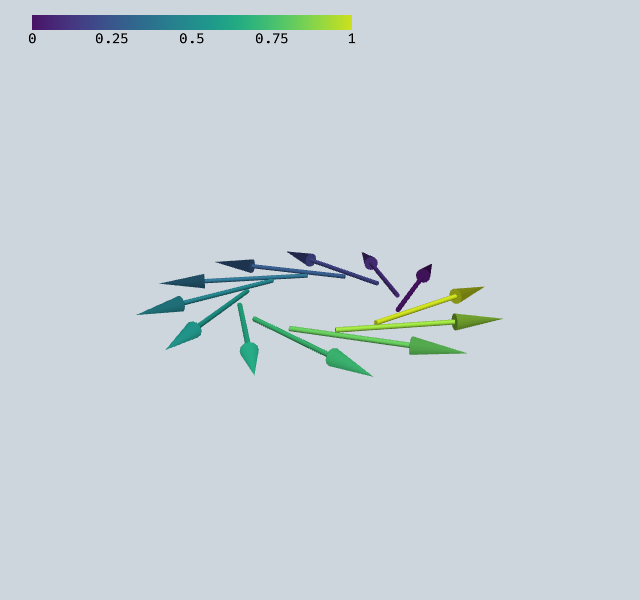
ShapeRenderer draws many copies (instances) of one shape efficiently. You define the base shape once, then provide arrays of positions, directions, and colors or scalar values.
Shapes are created with generate_cylinder, generate_cone, etc. They can be combined with + and repositioned with .move() to build compound shapes like arrows.
[1]:
import numpy as np
from webgpu.shapes import generate_cylinder, generate_cone, ShapeRenderer
from webgpu.colormap import Colormap, Colorbar
from webgpu.jupyter import Draw

# Build an arrow from cylinder + cone
shaft = generate_cylinder(n=12, radius=0.015, height=0.7, bottom_face=True)
tip = generate_cone(n=12, radius=0.05, height=0.3, bottom_face=True).move((0, 0, 0.7))
arrow = shaft + tip

# Place 12 arrows in a ring, pointing tangentially
n = 12
pos, dirs, vals = [], [], []
for i in range(n):
    angle = 2 * np.pi * i / n
    pos.append([0.5 * np.cos(angle), 0.5 * np.sin(angle), 0])
    dirs.append([-np.sin(angle), np.cos(angle), 0])
    vals.extend([i / (n - 1)] * 2)  # two values per shape (start, end)

cmap = Colormap(colormap="viridis")
renderer = ShapeRenderer(arrow, positions=pos, directions=dirs, values=vals, colormap=cmap)
Draw([renderer, Colorbar(cmap)])
warning: headless host, selecting by preference only
[1]:
TriangulationRenderer — triangle meshes#
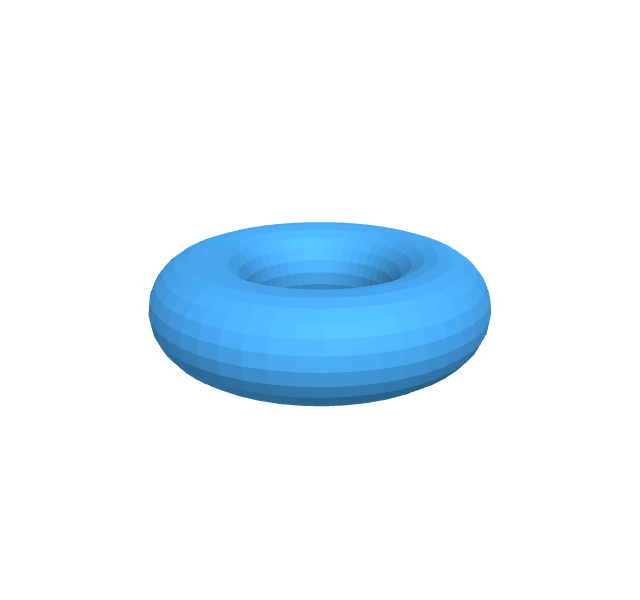
TriangulationRenderer renders raw triangles from a flat array of vertex coordinates. It computes face normals and applies lighting automatically.
This is useful for parametric surfaces, imported meshes, or any geometry defined as triangles.
[2]:
import numpy as np
from webgpu.triangles import TriangulationRenderer
from webgpu.jupyter import Draw


def parametric_mesh(func, u_range, v_range, nu=40, nv=40):
    """Sample a parametric surface on a (u, v) grid and return triangle vertices."""
    u = np.linspace(*u_range, nu)
    v = np.linspace(*v_range, nv)
    U, V = np.meshgrid(u, v)
    X, Y, Z = func(U, V)

    triangles = []
    for i in range(nv - 1):
        for j in range(nu - 1):
            p00 = [X[i, j], Y[i, j], Z[i, j]]
            p10 = [X[i+1, j], Y[i+1, j], Z[i+1, j]]
            p01 = [X[i, j+1], Y[i, j+1], Z[i, j+1]]
            p11 = [X[i+1, j+1], Y[i+1, j+1], Z[i+1, j+1]]
            triangles.extend([p00, p10, p01])
            triangles.extend([p10, p11, p01])

    return np.array(triangles, dtype=np.float32).reshape(-1)


def torus(u, v, R=0.6, r=0.25):
    x = (R + r * np.cos(v)) * np.cos(u)
    y = (R + r * np.cos(v)) * np.sin(u)
    z = r * np.sin(v)
    return x, y, z


points = parametric_mesh(torus, (0, 2 * np.pi), (0, 2 * np.pi), nu=48, nv=24)
Draw(TriangulationRenderer(points, color=(0.3, 0.7, 1.0, 1.0)))
[2]:
Combining renderers#
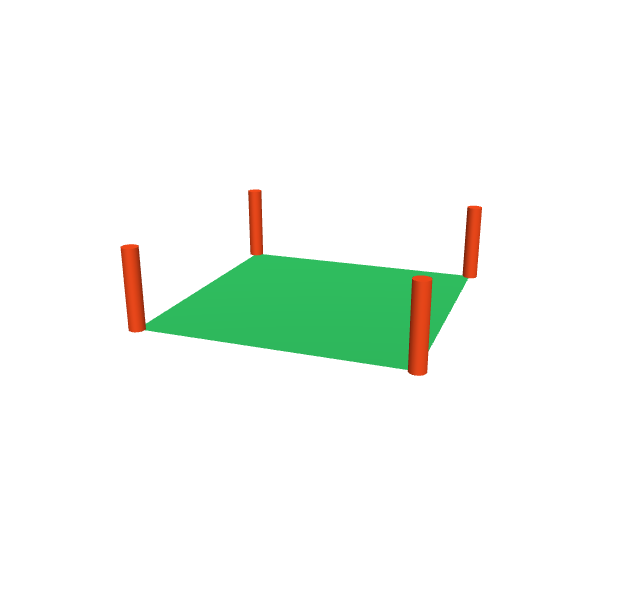
All renderer types can be mixed freely in one scene by passing a list to Draw.
[3]:
import numpy as np
from webgpu.shapes import generate_cylinder, generate_cone, ShapeRenderer
from webgpu.triangles import TriangulationRenderer
from webgpu.jupyter import Draw

# A small triangle mesh
mesh = TriangulationRenderer(
    [(0, 0, 0), (0, 1, 0), (1, 0, 0), (1, 0, 0), (0, 1, 0), (1, 1, 0)],
    color=(0.2, 0.8, 0.4, 1.0),
)

# Cylinders at the corners
cyl = generate_cylinder(n=16, radius=0.03, height=0.3, top_face=True, bottom_face=True)
markers = ShapeRenderer(
    cyl,
    positions=[[0, 0, 0], [1, 0, 0], [0, 1, 0], [1, 1, 0]],
    directions=[[0, 0, 1]] * 4,
    colors=[[1, 0.3, 0.1, 1]] * 4,
)

Draw([mesh, markers])
[3]: