

WebGPU Rendering Basics#
The webgpu package is a thin Python layer over the WebGPU API. You write shaders in WGSL (WebGPU Shading Language), manage GPU buffers, and build render pipelines — all from Python. The Renderer base class handles device/canvas boilerplate; you focus on shaders and data.
This package gives you full access to WebGPU. You write WGSL shaders directly and control GPU buffers from Python. Everything you can do with WebGPU, you can do through this layer.
References
WGSL spec: https://www.w3.org/TR/WGSL/
WGSL tour: https://google.github.io/tour-of-wgsl/
WebGPU spec: https://www.w3.org/TR/webgpu/
The render pipeline#
A WebGPU render pipeline has two programmable stages:
Vertex shader — runs once per vertex, outputs a clip-space position (
vec4f)Fragment shader — runs once per pixel covered by a primitive, outputs a color
A Renderer subclass wraps these into a pipeline by returning WGSL source from get_shader_code(). The framework compiles the shader, creates the pipeline, and issues draw calls based on n_vertices and n_instances.
Hello World — hardcoded triangle#
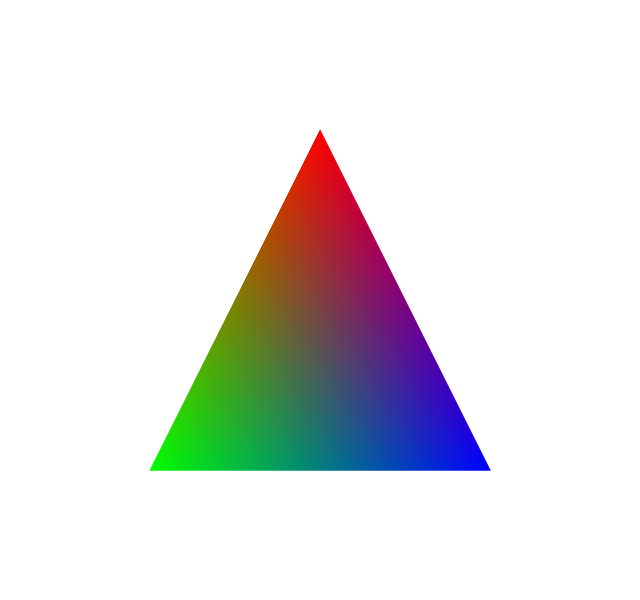
The simplest custom Renderer. Vertices and colors are hardcoded in the WGSL shader. No camera — positions are directly in clip space.
[1]:
from webgpu.renderer import Renderer
from webgpu.jupyter import Draw

shader_code = """
struct FragmentInput {
    @builtin(position) p: vec4<f32>,
    @location(0) color: vec4<f32>,
};

@vertex
fn vertex_main(@builtin(vertex_index) vi: u32) -> FragmentInput {
    var pos = array<vec4f, 3>(
        vec4f( 0.0,  0.5, 0., 1.),
        vec4f(-0.5, -0.5, 0., 1.),
        vec4f( 0.5, -0.5, 0., 1.)
    );
    var color = array<vec4f, 3>(
        vec4f(1., 0., 0., 1.),
        vec4f(0., 1., 0., 1.),
        vec4f(0., 0., 1., 1.)
    );
    return FragmentInput(pos[vi], color[vi]);
}

@fragment
fn fragment_main(input: FragmentInput) -> @location(0) vec4f {
    return input.color;
}
"""


class Triangle(Renderer):
    def __init__(self):
        super().__init__()
        self.n_vertices = 3

    def get_bounding_box(self):
        return ((0, 0, 0), (1, 1, 1))

    def get_shader_code(self):
        return shader_code


Draw(Triangle())
warning: headless host, selecting by preference only
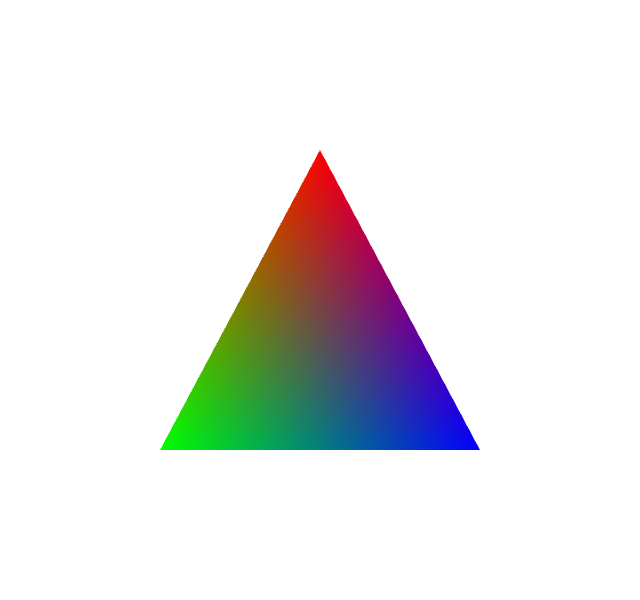
[1]:
Camera integration#
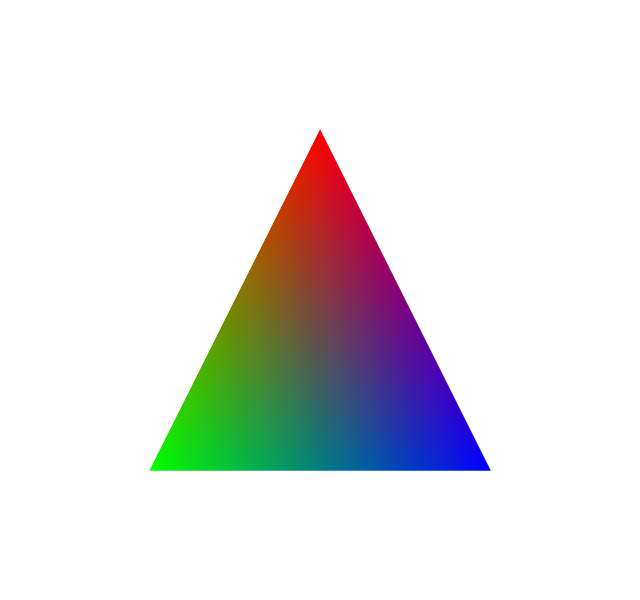
The triangle above doesn’t rotate when you drag the canvas because its positions are in clip space. To get 3D camera support:
Add
#import cameraat the top of the shader.Use
vec3fpositions and pass them throughcameraMapPoint().
This imports the framework’s camera uniform buffer into your shader. Try dragging the canvas below — the triangle now rotates.
[2]:
from webgpu.renderer import Renderer
from webgpu.jupyter import Draw

shader_code_camera = """
#import camera

struct FragmentInput {
    @builtin(position) p: vec4<f32>,
    @location(0) color: vec4<f32>,
};

@vertex
fn vertex_main(@builtin(vertex_index) vi: u32) -> FragmentInput {
    var pos = array<vec3f, 3>(
        vec3f( 0.0,  0.5, 0.),
        vec3f(-0.5, -0.5, 0.),
        vec3f( 0.5, -0.5, 0.)
    );
    var color = array<vec4f, 3>(
        vec4f(1., 0., 0., 1.),
        vec4f(0., 1., 0., 1.),
        vec4f(0., 0., 1., 1.)
    );
    return FragmentInput(cameraMapPoint(pos[vi]), color[vi]);
}

@fragment
fn fragment_main(input: FragmentInput) -> @location(0) vec4f {
    return input.color;
}
"""


class TriangleCamera(Renderer):
    def __init__(self):
        super().__init__()
        self.n_vertices = 3

    def get_bounding_box(self):
        return ((-0.5, -0.5, 0), (0.5, 0.5, 0))

    def get_shader_code(self):
        return shader_code_camera


Draw(TriangleCamera())
[2]:
GPU buffers — sending data from Python#
Real renderers need dynamic data. The pattern:
Declare
@group(0) @binding(N) var<storage>in WGSL (use N ≥ 101 to avoid collisions with internal bindings).In
update(), callbuffer_from_array()to upload NumPy arrays.In
get_bindings(), returnBufferBinding(N, buffer)for each buffer.
[3]:
import numpy as np
from webgpu.renderer import Renderer
from webgpu.utils import BufferBinding, buffer_from_array
from webgpu.jupyter import Draw

shader_code_buffers = """
#import camera

@group(0) @binding(101) var<storage> vertices: array<f32>;
@group(0) @binding(102) var<storage> colors: array<f32>;

struct FragmentInput {
    @builtin(position) p: vec4<f32>,
    @location(0) color: vec4<f32>,
};

@vertex
fn vertex_main(@builtin(vertex_index) vi: u32) -> FragmentInput {
    let pos = vec3f(vertices[3u*vi], vertices[3u*vi+1u], vertices[3u*vi+2u]);
    let col = vec4f(colors[3u*vi], colors[3u*vi+1u], colors[3u*vi+2u], 1.0);
    return FragmentInput(cameraMapPoint(pos), col);
}

@fragment
fn fragment_main(input: FragmentInput) -> @location(0) vec4f {
    return input.color;
}
"""


class TriangleBuffers(Renderer):
    def __init__(self, points, colors):
        super().__init__()
        self.n_vertices = 3
        self.points = np.array(points, dtype=np.float32).reshape(-1, 3)
        self.colors = np.array(colors, dtype=np.float32).reshape(-1, 3)

    def update(self, options):
        self.gpu_points = buffer_from_array(self.points)
        self.gpu_colors = buffer_from_array(self.colors)

    def get_bounding_box(self):
        return np.min(self.points, axis=0), np.max(self.points, axis=0)

    def get_shader_code(self):
        return shader_code_buffers

    def get_bindings(self):
        return [BufferBinding(101, self.gpu_points), BufferBinding(102, self.gpu_colors)]


points = [[0, 0.5, 0], [-0.5, -0.5, 0], [0.5, -0.5, 0]]
colors = [[1, 0, 0], [0, 1, 0], [0, 0, 1]]
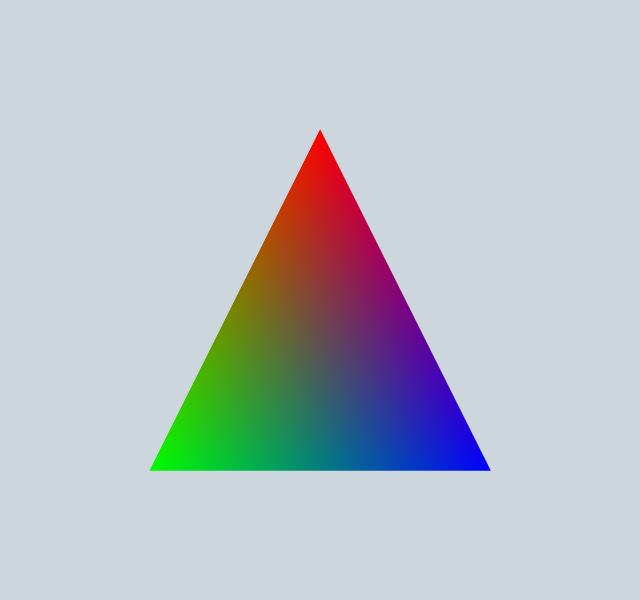
Draw(TriangleBuffers(points, colors))
[3]:
Summary#
The Renderer API:
Method / Attribute |
Purpose |
|---|---|
|
Return WGSL source (use |
|
Return list of |
|
Return |
|
Create / update GPU buffers before each draw |
|
Number of vertices in the draw call |
|
Number of instances in the draw call |
The subsequent notebooks show the convenience renderers built on top of this layer for scientific visualization.