Complex Fields#
Complex-valued CoefficientFunctions and GridFunctions are automatically detected. Both real and imaginary parts are uploaded to the GPU in a single interleaved buffer, enabling efficient visualization of different views (Real, Imag, Abs, Phase) and phase-sweep animation without any buffer re-upload.
Scalar Complex Field#
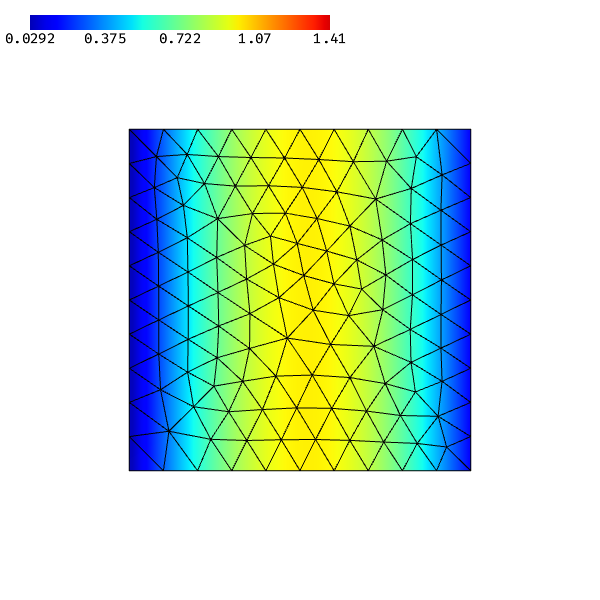
A complex grid function is drawn just like a real one. By default, the real part is shown. A "Complex Mode" dropdown and an "Animate" checkbox appear automatically in the GUI.
[1]:
from ngsolve import *
from ngsolve_webgpu import *
from ngsolve_webgpu.cf import CFRenderer
from ngsolve_webgpu.jupyter import Draw

mesh = Mesh(unit_square.GenerateMesh(maxh=0.1))
fes = H1(mesh, order=3, complex=True)
gf = GridFunction(fes)
gf.Set(sin(3*x) + 1j*cos(3*y))

scene = Draw(gf, mesh, order=3)
warning: headless host, selecting by preference only
Switching Complex Visualization Mode#
Use set_complex_mode on the CFRenderer to switch between views. Available modes: "real", "imag", "abs", "phase".
This only updates a small uniform on the GPU — no data re-upload.
[2]:
for ro in scene.render_objects:
    if isinstance(ro, CFRenderer):
        ro.set_complex_mode("abs")
        break

scene.render()
[3]:
for ro in scene.render_objects:
    if isinstance(ro, CFRenderer):
        ro.set_complex_mode("imag")
        break

scene.render()
Phase Animation#
For frequency-domain solutions, the physical field is:
Call animate_phase(scene) to start a smooth phase sweep. Each frame costs only an 8-byte uniform write — the Bernstein coefficient buffers stay untouched.
You can also use the "Animate" checkbox in the GUI.
[4]:
for ro in scene.render_objects:
    if isinstance(ro, CFRenderer):
        ro.animate_phase(scene, speed=0.2)  # 1 full cycle per second
        break
[5]:
# Stop the animation
for ro in scene.render_objects:
    if isinstance(ro, CFRenderer):
        ro.stop_animation()
        break
Complex Vector Field#
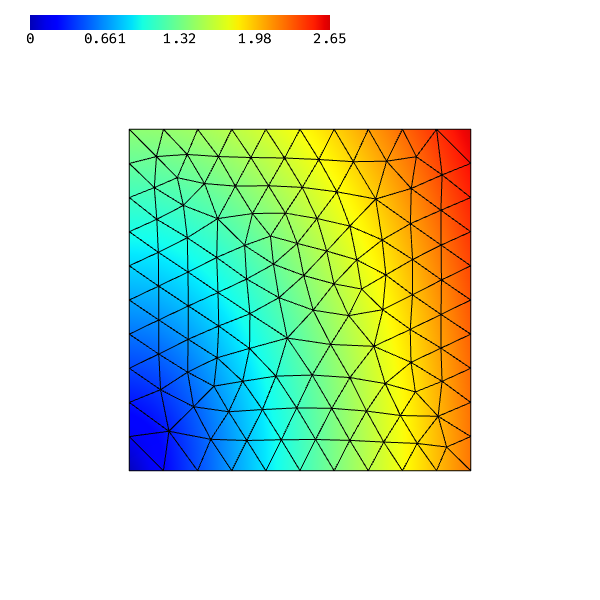
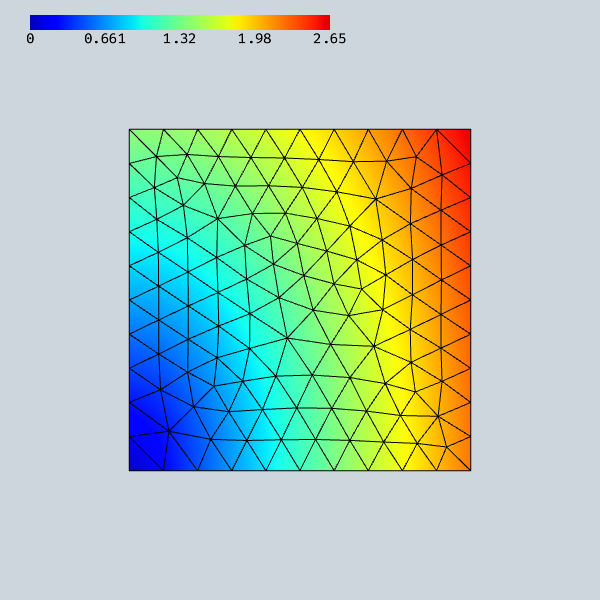
Vector-valued complex fields work the same way. Component selection and complex mode are independent.
[6]:
fes_vec = VectorH1(mesh, order=3, complex=True)
gf_vec = GridFunction(fes_vec)
gf_vec.Set(CF((x + 1j*y, 2*x - 1j*y)))

scene2 = Draw(gf_vec, mesh, order=3)
[7]:
# Show imaginary part of component 1
for ro in scene2.render_objects:
    if isinstance(ro, CFRenderer):
        ro.set_component(1)
        ro.set_complex_mode("real")
        break

scene2.render()
Complex Vectors with Phase Animation#
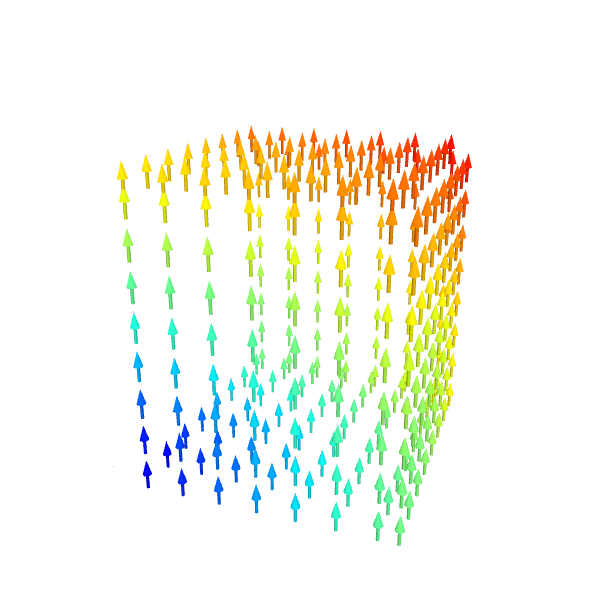
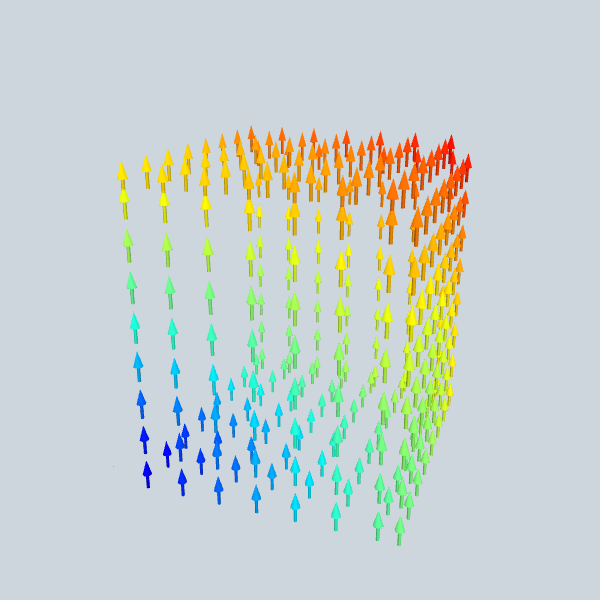
Vector arrows can also be animated. For a complex vector field, the arrow directions rotate smoothly as the phase sweeps, visualizing the time-harmonic solution:
[8]:
from ngsolve import *
from ngsolve_webgpu.mesh import MeshData
from ngsolve_webgpu.cf import FunctionData
from ngsolve_webgpu.vectors import SurfaceVectors
import webgpu.jupyter as wj

mesh = Mesh(unit_cube.GenerateMesh(maxh=0.3))
fes = VectorH1(mesh, order=2, complex=True)
gf = GridFunction(fes)
gf.Set(CF((1j*z, -1j*z, x + 1j*y)))

mesh_data = MeshData(mesh)
function_data = FunctionData(mesh_data, gf, order=2)
vectors = SurfaceVectors(function_data, grid_size=15)
scene3 = wj.Draw([vectors], 600, 600)
[9]:
# Start phase animation — arrows rotate in place
vectors.animate_phase(scene3, speed=0.1)
[10]:
vectors.stop_animation()
Scaling by Value#
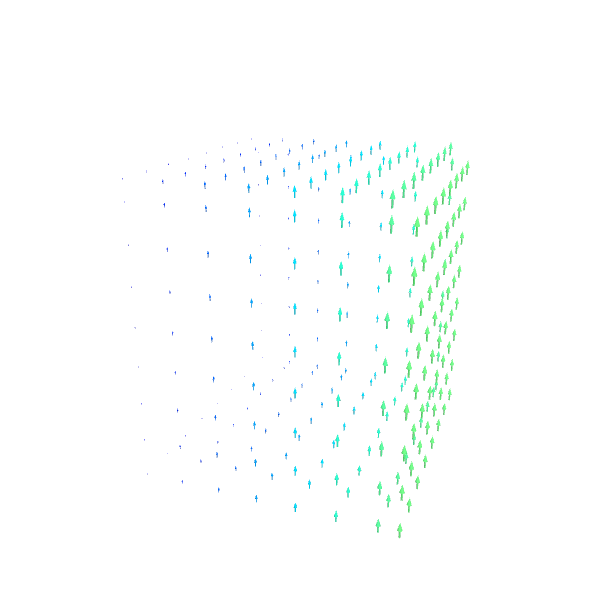
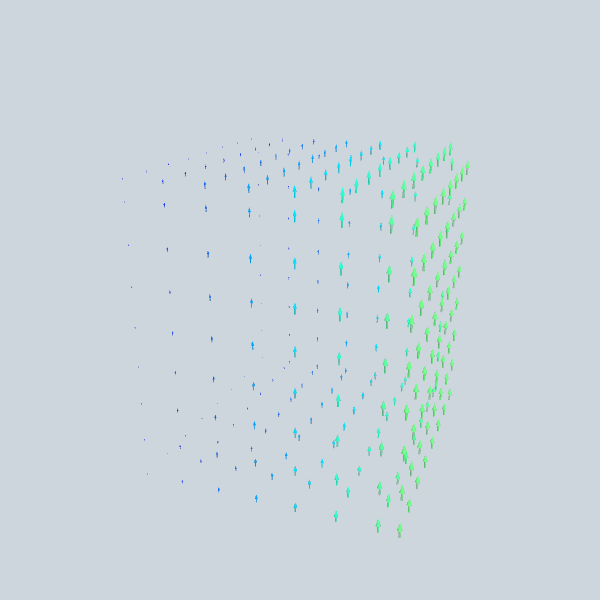
With scale_by_value=True, arrow length is proportional to the instantaneous field magnitude. During phase animation, arrows grow and shrink as the field oscillates. Color always shows the current magnitude via the colormap. The scale is auto-calculated from the bounding box and maximum field value.
[11]:
from ngsolve import *
from ngsolve_webgpu.mesh import MeshData
from ngsolve_webgpu.cf import FunctionData
from ngsolve_webgpu.vectors import SurfaceVectors
import webgpu.jupyter as wj

mesh = Mesh(unit_cube.GenerateMesh(maxh=0.3))
fes = VectorH1(mesh, order=2, complex=True)
gf = GridFunction(fes)
gf.Set(CF((1j*z, -1j*z, x + 1j*y)))

mesh_data = MeshData(mesh)
function_data = FunctionData(mesh_data, gf, order=2)
vectors = SurfaceVectors(function_data, grid_size=15, scale_by_value=True)
scene4 = wj.Draw([vectors], 600, 600)
[12]:
# Animate: arrows grow/shrink as the phase rotates
vectors.animate_phase(scene4, speed=0.2)
[13]:
vectors.stop_animation()
[ ]: